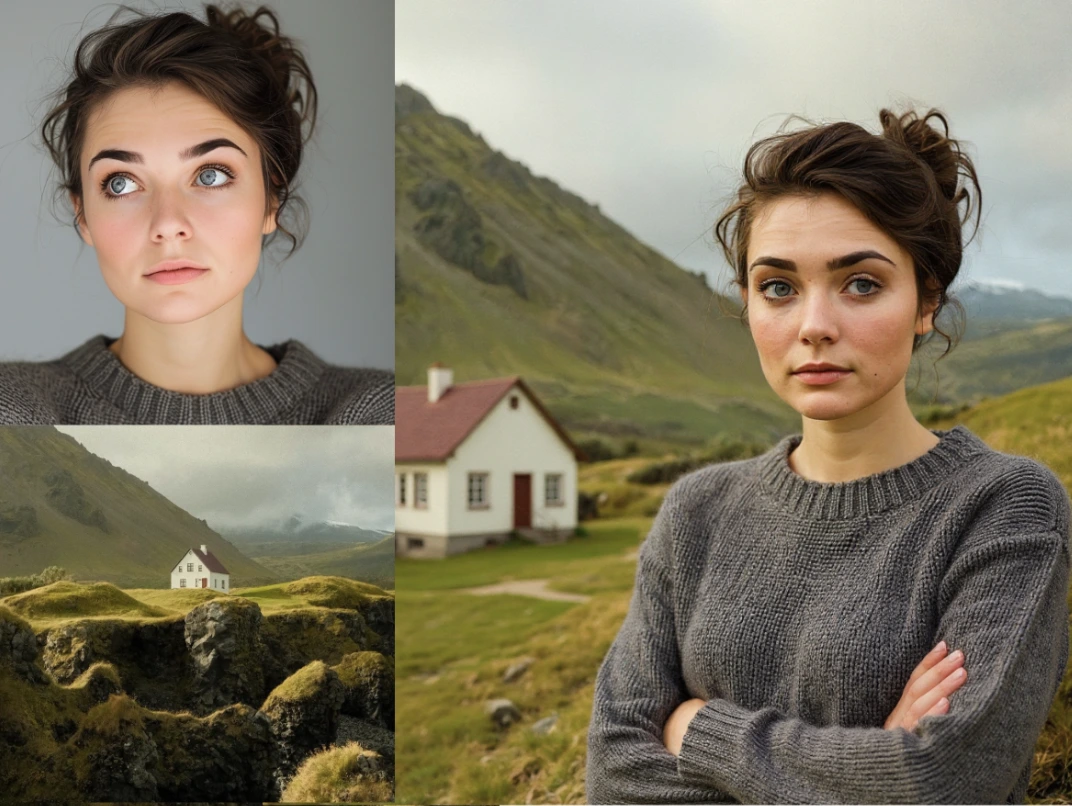
Flux Kontext Pro Multi
Flux Kontext Pro Multi is an advanced context-aware image editing model that enables professional-grade inpainting, outpainting, and iterative modifications while maintaining exceptional visual consistency across multiple edit cycles. Powered by Black Forest Labs' state-of-the-art diffusion architecture, it delivers photorealistic results that preserve original image integrity, lighting, and style through complex multi-turn editing workflows.
Overview
Flux Kontext Pro Multi is a image utilities model available on the GenVR platform. Flux Kontext Pro Multi is an advanced context-aware image editing model that enables professional-grade inpainting, outpainting, and iterative modifications while maintaining exceptional visual consistency across multiple edit cycles. Powered by Black Forest Labs' state-of-the-art diffusion architecture, it delivers photorealistic results that preserve original image integrity, lighting, and style through complex multi-turn editing workflows.
Key Features
- Multi-turn context preservation maintaining consistency across sequential edits
- Advanced inpainting and outpainting with edge-aware blending
- High-fidelity subject retention during complex modifications
- Text-guided precise region editing with semantic understanding
- Professional-grade 2K+ resolution support with fine detail preservation
- Style and lighting consistency maintenance across edit sessions
- Intelligent object insertion and removal with background reconstruction
- API-optimized latency for real-time creative workflows
Popular Use Cases
- Fashion and apparel photography editing including color changes and pattern modifications while maintaining fabric texture
- Product photography batch editing for catalog consistency across seasonal campaigns
- Character and scene consistency in graphic novels and sequential art production
- Real estate and interior design visualization with furniture swapping and lighting adjustments
- Advertising creative development with rapid iteration on compositional elements and backgrounds
Best For
- Professional photographers and retouchers requiring high-fidelity image manipulation
- E-commerce businesses needing consistent product photography editing at scale
- Creative agencies and marketing teams producing campaign visuals with iterative feedback loops
- Content creators maintaining character consistency across comic books or visual storytelling
- Architectural visualization studios requiring contextual modifications to renders
Limitations to Keep in Mind
- Requires detailed text prompts and precise masking for optimal results on complex edits
- Higher computational costs compared to standard inpainting models due to context processing
- May struggle with extreme perspective changes or viewpoint rotations beyond 30 degrees
- Limited to 2D image manipulation without native 3D scene understanding or depth control
- Occasional artifacts in highly textured regions or complex hair/fur details during extensive modifications
Why Choose This Model
- Visual Consistency: Maintains character identity, lighting conditions, and environmental context across multiple sequential edits without quality degradation.
- Professional Output Quality: Generates photorealistic results suitable for commercial print, advertising, and high-end digital media production.
- Iterative Workflow Support: Enables complex multi-step editing sessions where each modification builds upon previous changes while preserving original intent.
- Precision Control: Offers granular control over editing regions with semantic understanding of image content and spatial relationships.
- Seamless Integration: Optimized for API deployment with structured JSON responses compatible with existing creative pipelines and automation systems.
- Contextual Intelligence: Understands and preserves background elements, shadows, reflections, and texture details during object manipulation.
- Time Efficiency: Reduces manual compositing work by automating complex blending and lighting adjustments that traditionally require hours in Photoshop.
- Scalable Resolution: Handles high-resolution source images without downscaling, preserving fine details crucial for professional photography and e-commerce.
- Creative Flexibility: Supports both subtle retouching and dramatic transformations while maintaining photographic realism and coherence.
- Brand Safety: Produces consistent, predictable results that align with brand guidelines across large-scale content generation workflows.
- Cross-Domain Adaptability: Performs equally well on portraits, product photography, architectural renders, and artistic illustrations.
- Reduced Post-Processing: Minimizes the need for additional manual touch-ups through superior edge blending and color matching algorithms.
Alternatives on GenVR
- Google Nano Banana
- Flux 2 Flex
- Vidu Q2 Edit
Pricing
Billed through GenVR credits
Properties
Customizable parameters available for this model.
Required
Text description of how to combine or transform the two input images
First input image. Must be jpeg, png, gif, or webp.
Second input image. Must be jpeg, png, gif, or webp.
Optional
Random seed. Set for reproducible generation
Aspect ratio of the generated image. Use 'match_input_image' to match the aspect ratio of the input image.
Output format for the generated image
Safety tolerance, 0 is most strict and 2 is most permissive. 2 is currently the maximum allowed.
GenVR Visual App
Experience the power of Flux Kontext Pro Multi through our intuitive visual interface. Experiment with prompts, adjust parameters in real-time, and download your results instantly.
Try in Web AppDeveloper API Docs
Integrate this model into your own applications. Access enterprise-grade performance, scalable infrastructure, and detailed documentation for rapid deployment.
Try in APIMore in Image Utilities
Discover other high-performance models in the same category as Flux Kontext Pro Multi.